image

SYSTEMKAN-therm

Automatics
SMART updates

image
image
image
image

Available terminal block versions and identification method

Electric SMART terminal blocks in System KAN-therm are available in 2 versions:

  • with software on a memory card
  • with software in the internal memory of the device

Terminal blocks produced after 03.03.2014 have a built-in internal memory.

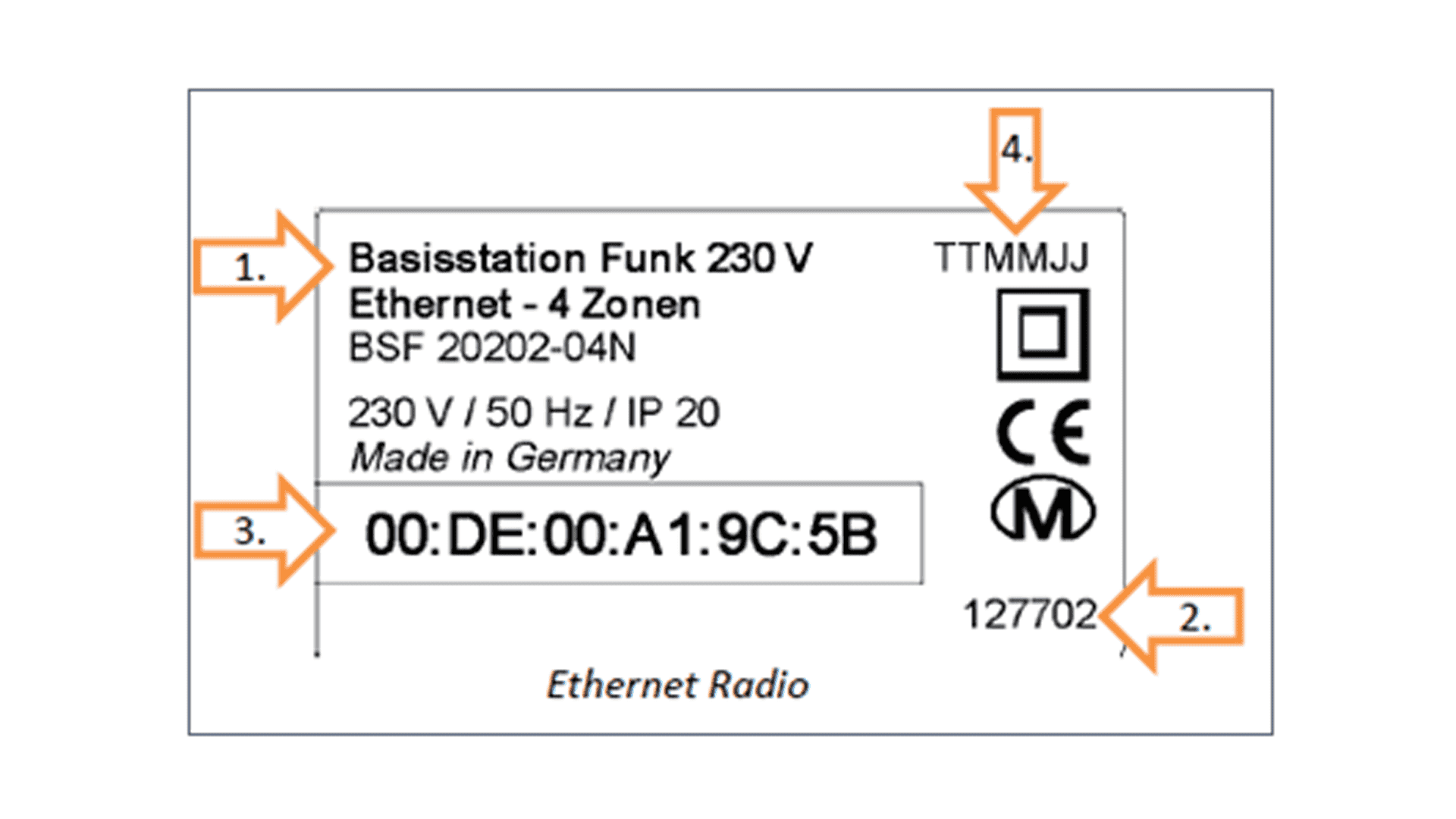
The date of manufacture can be checked on the rating plate of the terminal block (item 4).

image

Checking software version

The current version of the KAN-therm SMART terminal block software can be checked from the thermostat or web browser level (by connecting a computer to the KAN-therm SMART terminal block).

In the thermostat menu

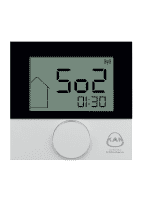
select parameter “So2”.

Numbers below indicate software version, e.g. in the picture below, we have version 1.30

image

The software version can also be checked by connecting the computer to the terminal block – see the instruction of KAN-therm SMART terminal block 

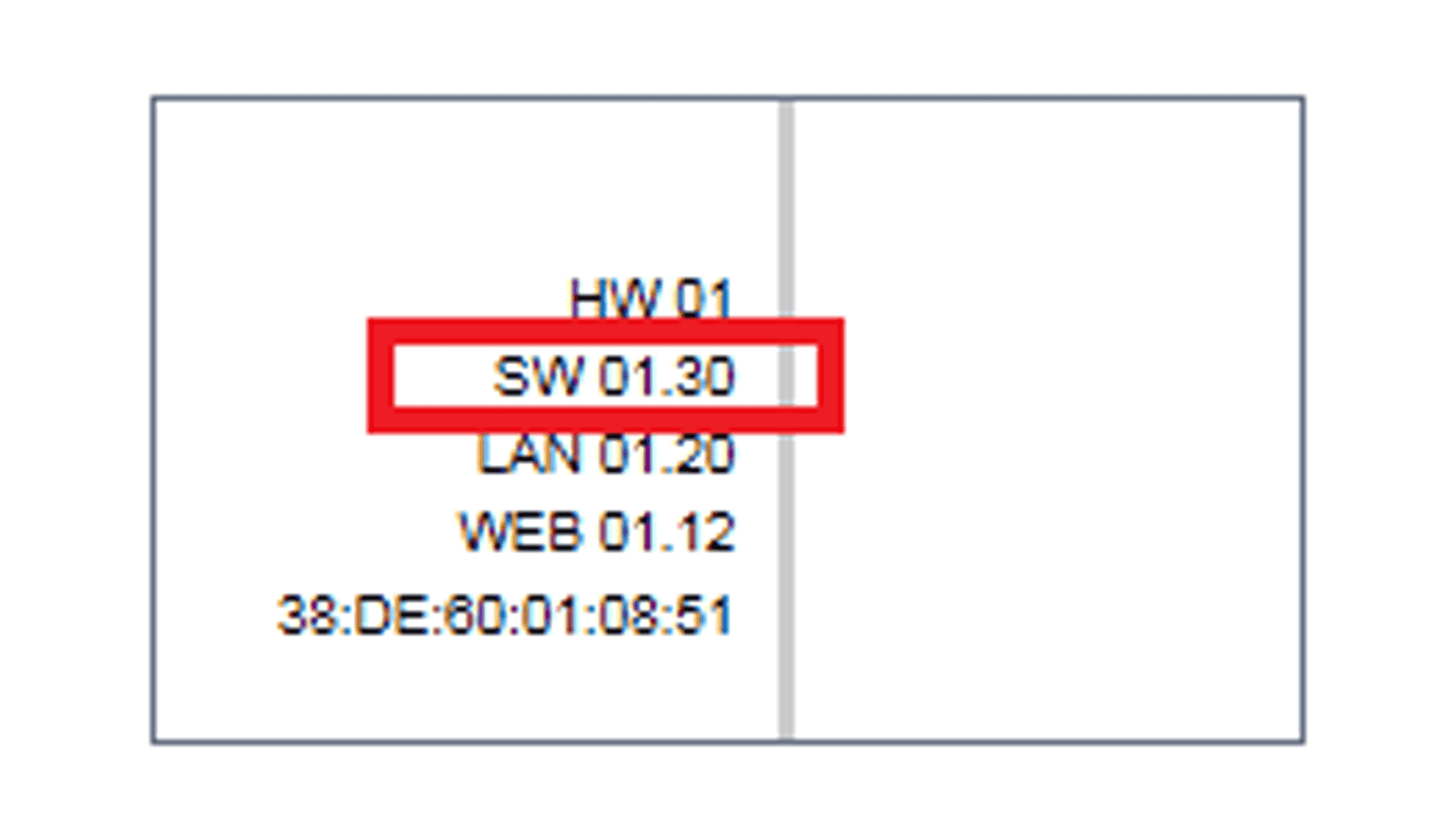
Software version is indicated in parameter “SW” (on the right side in the browser).

If the software version is older than the version available on the website, update it according to the instructions below.

Software update instruction for terminal blocks with software on an SD card (terminal blocks with an SD card):


  1. Deenergise the terminal block
  2. Remove the card
  3. Back up all files on the card
  4. Replace the files on the card with files downloaded from the KAN website
  5. Insert the card into the terminal block
  6. Energise the terminal block
  7. The terminal block will update automatically (it will take about 5 minutes). Do not interrupt the update process.
  8. All LEDs will be off during the update process. You can see it is finished when the terminal block restarts automatically (all LEDs will start blinking), and then it will go into normal operation.

NOTE! For the terminal block to work correctly the card must be in it at all times.

Software update instruction for terminal blocks with software inside the device (terminal blocks with a built-in memory):


  1. Save the update files downloaded from the KAN website to an SD card (SanDisk cards are recommended)
  2. Deenergise the terminal block
  3. Insert the card into the terminal block
  4. Energise the terminal block
  5. The terminal block will update automatically (it will take about 5 minutes). Do not interrupt the update process.
  6. All LEDs will be off during the update process. You can see it is finished when the terminal block restarts automatically (all LEDs will start blinking), and then it will go into normal operation.
  7. After the update process, the SD card can be removed, making sure that the power supply is disconnected when inserting or removing the card.

NOTE! To update another terminal block, start again from step 1 because during the update process 2 files are permanently deleted from the SD card.

After the update, check the software version again according to the instructions described above.

Download KAN‑therm SMART Electric Panel

Need help, want to learn more? Contact us!

Select all consents.

The provision of personal data is voluntary, although necessary for the proper operation of your account and all the functionalities associated with it. Information about the user’s rights, including the right to access the content of data, rectification, erasure, restriction of processing, data portability, object, withdraw consent at any time without affecting the lawfulness of the processing and to lodge a complaint with the supervisory authority for data protection is further specified in: